
Learn. Perform. Evolve.
Write the test. Share it. Mark what has a clear answer.
Aiscora is for instructors, students, and institutes. Objective questions are graded when a student submits.
Short answers, essays, and code can be graded with AI, and the instructor can review those marks before a score is released.
Institute admin? Open the institute portal
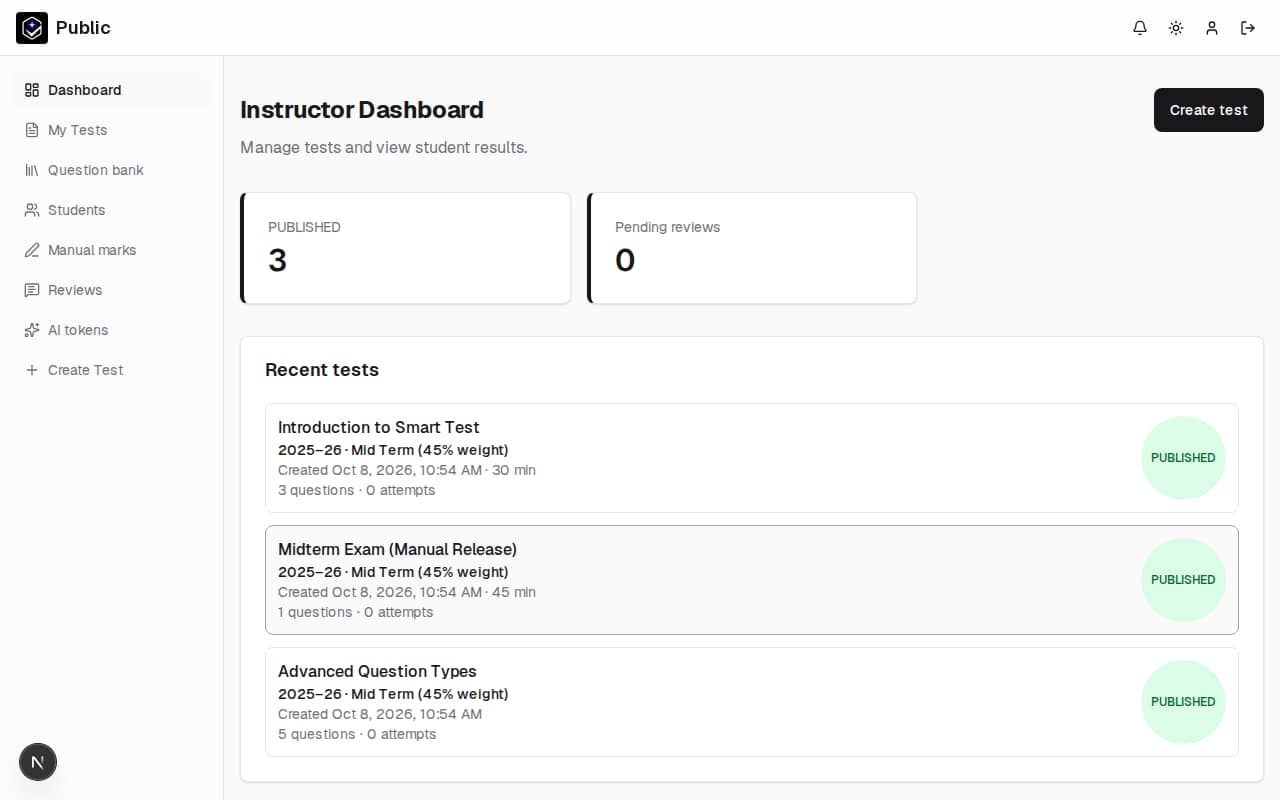
- Multiple choice
- Short answer
- Essay
- Question bank
- Scorecards
- Answer sheets
Learn. Perform. Evolve.
Three parts of the same exam
The phrase names work the product already does: a student sits a paper, an instructor marks it, and the institute reads what came back.
Learn
Sit the paper that was assigned
Students open tests shared with them, their class, or their institute. Answers stay saved while the attempt is open. After a result is released, the scorecard can show a score trend and performance insights.
Perform
Set the exam and mark it
Instructors write a test and share it. Objective items are graded on submit. Short answers, essays, and code can receive an AI suggestion that stays in review until the instructor releases the score.
Evolve
Read the centre from the results
Institutes keep classes, people, and academic sessions together. Class and institute analytics show averages, score distribution, pass rate, and a trend. A single test also has completion and item analysis.
Platform
What you can run on Aiscora
Three jobs the product already does: writing a test, marking keyed answers, and reviewing written ones.
Create and share tests
Instructors write an exam and share it with an institute, a class, or specific students.
Objective questions mark themselves
Multiple choice, true or false, numeric, matching, ordering, hotspot, and fill-in items are graded on submit.
Written answers can use AI
Short answers, essays, and code can receive a suggested mark. The instructor reviews it before a score is released.
Who it is for
Instructors, students, and the institute office
Each role has its own pages. Nothing here is a separate app.
Set the paper
Instructors
Build a test, reuse questions, and decide when students see a result.
- Personal question bank, plus the institute bank when you belong to one
- Share with the institute, a class, or specific students
- Print the paper, or upload answer sheets after a sitting
- Review suggested marks, then release the result
Sit the paper
Students
Open the tests shared with you, with answers kept as you go.
- Take tests assigned to you, your class, or your institute
- Answers save while you are still working
- A time limit can submit the attempt when the clock runs out
- A scorecard collects the tests that count toward a session
Run the centre
Institutes
Keep classes, people, and the year’s assessments in one portal.
- Classes, instructors, and students
- Academic sessions, weighted parts, and manual marks
- A shared question bank and a results view
- Approve people who ask to join
In practice
The work the product actually does
No extra tools are required for a normal online test. Paper sittings and offline marks have a place too.
- Objective items are graded when the student submits
- Short answers, essays, and code can be suggested by AI, then reviewed
- A test can be shared with an institute, a class, or specific students
- A student's scorecard includes a score trend and performance insights
- Test analytics shows a summary, score distribution, completion, and item analysis
- Class and institute analytics show averages, distribution, pass rate, and a trend
- An optional parent email receives the published score
- A time limit can close the attempt on its own
- Scores can wait until the instructor releases them
- Answer keys can stay hidden until you choose to show them
- Scanned answer sheets can be uploaded and checked against the key
- Tests and offline marks can sit on one academic-session scorecard
Inside the product
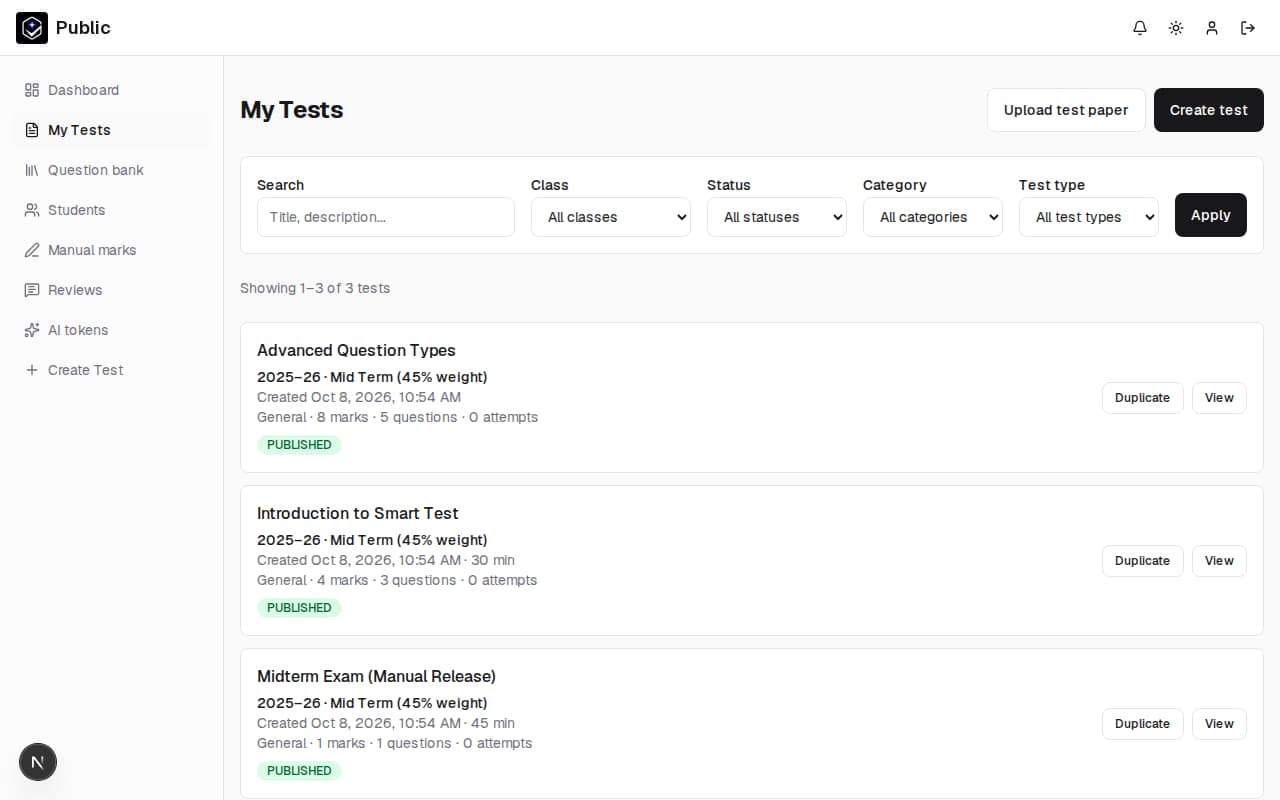
A test, as the instructor sees it
Instructors land on a list of their tests, with status, question counts, and attempts.
Capabilities
Four parts of running an exam
Question bank
Keep questions you will use again, instead of rewriting them for every paper.
Includes
- Save a question from a test into a bank
- A personal bank, and an institute bank for shared items
- Filter the bank by question type
- Pull bank questions onto a new test
Building and sharing
Write the paper, set the window it is open, and choose who can sit it.
Includes
- Objective items and written items on the same test
- Optional duration, availability window, or a test that stays open
- Share with an institute, a class, or specific students
- Print the paper from the test
Grading
Clear answers mark themselves. Written answers can be reviewed before anyone sees a score.
Includes
- Objective questions graded on submit
- AI suggestions for short answer, essay, and code
- An instructor review queue before release
- Manual marks for work that was not sat online
- Uploaded answer sheets checked against the key
Scorecards
A session can roll several tests, and offline marks, into one result.
Includes
- Academic sessions made of weighted parts
- Choose whether a test counts toward the session total
- A pass or fail when a passing score is set
- Students open their own scorecard
How it works
From an account to a released result
01
Create an account
Register as a student or instructor. An institute registers separately and waits for approval.
02
Build the test
Write questions, or take them from the bank. Add a time limit if the sitting should close itself.
03
Share it
Publish to the institute, a class, or specific students. Print a copy if the sitting is on paper.
04
Grade and review
Objective items mark themselves. Review written answers, then release the result.
Day to day
What changes once a test is on Aiscora
These follow from the features above. They are not measured claims about time saved or scores improved.
Objective items finish on submit
Multiple choice and the other keyed question types do not wait in a marking pile.
Written answers start from a draft mark
When AI grading is on, short answers, essays, and code arrive with a suggestion to accept or change.
A session has one scorecard
Tests that count, and marks entered for offline work, can roll into the academic session.
Paper still has a path in
Print the test, then upload answer sheets so keyed items can be checked.
You choose what students see
Release scores immediately or hold them. Show the answer key only when you want to.
Questions survive the next paper
A personal bank and, inside an institute, a shared bank keep items ready to reuse.
After the sitting
Trends, item analysis, and a parent email
These views open from graded attempts. A parent email is optional. When it is set, that address receives the published result.
Student performance trends
A scorecard charts how a student's scores move across attempts, with performance insights beside the session total.
Test and item analytics
A test's analytics page shows a summary, how scores are distributed, and whether students finished. Item analysis lists the share of marks earned on each question and how that question lines up with the rest of the test.
Class and institute analytics
Class analytics and the institute overview show averages, score distribution, pass rate, and a score trend for the people in that scope.
Parent result emails
When a student has a parent email, that address receives the student's name, the test title, and the score once the result is visible. The student signs in to open the full result.
Our aim
Marks an instructor can stand behind
An exam should be straightforward to set and fair to mark. Aiscora is for that job: write the test, let students sit it, grade what has a clear answer, and review the rest before a score is final.
Start with an account
Create a student or instructor account. If you run an institute, use the institute portal instead.